Showing posts with label math. Show all posts

Wednesday, March 21, 2012

Study Jams is a Math & Science Resource for Students


Study Jams http://studyjams.scholastic.com/studyjams/index.htm has over 200 topics/resources available for students to use to help them learn Math and Science content. Some of the more popular Jams are: Creating Equations From Word Problems, The Universe, Volcanoes and Photosynthesis. The Jams include videos, key vocabulary terms and a test. Related Jams are shown below the selected Jam.

Tuesday, March 20, 2012

Are you hungry for learning?

Do your students have an appetite for math or does math make them sick to their stomach?  In middle school we see both ends of this spectrum.  In searching for a proportions lesson I stumbled upon some snack food that will help feed our students in math classes.  The tool I'm about to share is really cool and engaging BUT the way I found it can give any teacher power to find new ways to engage students in math and all other subjects. (So stayed tuned to the bottom and find out a powerful tool to help find ideas for ALL teachers)

Math Snacks is a really cool website:  http://www.mathsnacks.com/ that is produced by New Mexico State University.  Math Snacks have engaging animations, a learner guide and a teacher guide with each math concept.

Take a look at this math snack on ratios and proportions. http://www.mathsnacks.com/badDate.html
I know that kids will love this video and it gives them an opportunity to experience ratios and proportions in a new light.  This particular math snack comes with a learner's guide that will them from the examples used in the video to other real life applications.  The teacher's guide is a detailed lesson plan with directions, answer key and extension activities.  Explore and check out this website.  It is still in development and currently has 9 available snacks and plans to have at least 20 by next school year.  It is sure to satisfy some of your most reluctant student's appetite for math.

Now for the really good part.  As a teacher, finding quality resources was sometimes difficult.  One of the biggest problems with finding them was TIME.  I would spend some time doing a typical Google search and in the end have no results.  I found this and several other activities using Edmodo.  Edmodo is an incredible social media platform for schools.  In the past I have used Edmodo as a collaboration tool for my students.  I have recently explored the communities in Edmodo.  Once you sign up for an account you can browse many different communities.


Once you see a community of interest, click on it and explore.  These communities are full of other teachers around the world who are searching and sharing innovative ideas.  You can choose to follow particular communities.  You can post a question.  For instance, if you were looking for new ways to teach inference, you might ask in a post for ways to do this.  Other teachers then share their ideas with you and the need for a Google search has been eliminated.  The resources and ideas shared are typically great and inspiring. 

So if you are appetite is for math, check out http://www.mathsnacks.com/.  If your hunger is for learning some new teaching ideas then check out the communities http://www.edmodo.com/. 


Bon Appetit!!!!


Wednesday, February 8, 2012

Writing in Math?

Why do we have to write in Math?

As I was sitting in a Kindergarten meeting this week, the teachers were talking about Math Journals. I hadn't really heard of Math Journals before, especially for Kindergarten. So, the first things I did was to ask my co-worker Melissa Edwards if she had any resources for Math Journals and I went on Twitter to ask for help from my Twitter PLN.
I wanted to share some blog posts about Math Journals and what a couple of my Twitter friends said about the way they use Math Journals. 

Math Journals by Terry Tunkel

Here is what a couple of Twitter friends said about Math Journals: 

@CaraSJohnson said: "We use them in our class. The students glue in the prompt that I have printed out. I try to focus on problem solving skills."

@Mr_Fines said, "It starts off simple - writing a number and illustrating it. Writing a number word, or drawing a shape and writing the shape "word'.  As the year progresses I'll put a problem on the document camera. It could be a number line with 2 or 3 numbers missing and they write the missing numbers.  When they get to addition i may put 1+1 on the board and they draw it. We draw our numbers with lines for 10's and small circles for 1's. I may have them represent a number  like 12 - they draw 1 line and 2 small circles. The possibilities are endless really.  I did it every day "before" we did math as a cue that it is math time in our room."

What I learned from reading about Math Journals is that even Kindergartners can create a journal. The journal doesn't have to be all written words. It could be pictures, math problems, etc. I liked the idea of having math prompts, just as you would in Language Arts. I have always thought that by writing things down it is easier to remember them. So, why not write in Math to remember new concepts?

Do you use Math Journals in your classroom? If not, how could you use Math Journals in your classroom?

Image: 'Journal Writing II' http://www.flickr.com/photos/10485077@N06/4530922906

Tuesday, October 25, 2011

How do you teach problem solving strategies?

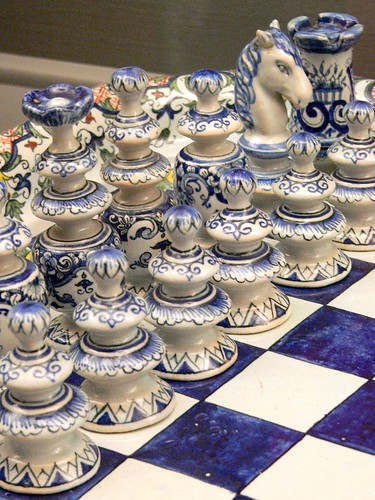
Ceramic Faience chess set in the Regence style France 19th to 20th century CEHow do you solve problems? What strategies do you use?

After doing a search in Thinkfinity, I found some interesting online games in CalculationNation  created by the National Council of Teachers of Mathematics for developing and practicing problem solving strategies: SlamBall and Fraction Fued. So here are a few of my ideas about how these could be used with students:

In Fraction Feud, students rely on number sense to create fractions greater (or less) than their opponent’s fraction). At first, the teacher can play against the computer to demonstrate the game while talking out loud about her decisions (providing a model by using think aloud process):
    • ex. From the numbers given, I am going to choose this number for the denominator because that will leave me with this number for the numerator. Since my opponent used these numbers to create their fraction, I think I will use these numbers. Since I have to go first and make the smallest fraction, I think I will use these numbers because …
Students can work with partners to play Fraction Fued game. Students will be encouraged to first play together against the computer and share their thoughts/strategies with each other. If students would like, they may play against each other toward the end of the designated time. Following the playing of Fraction Fued game, students can write in their math journals about what strategies they used that did and did not work for them and their partners as they played the game.

For the other online game, the teacher can provide students with the link to the SlamBall game with the only instruction being that this will be another chance to practice problem solving strategies. 


Students may continue to work with a partner or may choose to play this game alone. Students will again be encouraged to start off playing against the computer but then may choose to play against each other. The object of the game is to slam the ball off the sides of the game board to send it on a path that collects the most tokens. One side of the game board may be moved around and you can choose to start the ball in an upward or downward motion. 

The strategies needed to success in the game are different from the strategies needed to succeed in the fraction game. At the end of the designated time, students will write in math journals about what strategies they used that did and did not work playing this game.

After students play both games and write about strategies, the class can have a discussion about what worked and what did not in each game. The teacher can have some guiding questions to get students thinking about their thinking and to keep the discussion going:

  • What strategies did you use that worked well?
  • What strategies did you use that did not work well?
  • How did you decide what to try? If that did not work, how did you decide what to try next?
  • Did you find the same strategies worked all the time? Why?
  • Did the same strategies work in both games?
  • What strategies will you try when you play either of these games again? Why?
  • What do you mean by …. ? (asking clarifying questions)
These two games provide students with the ability to engage in a fun computer activity, while practicing two math skills. One being fraction size and the other spatial geometry. The goal is to develop flexibility. Flexibility is the ability to choose different approaches in response to the situation or problem. That skill is best developed by trying a variety of options and sharing with others about what did and did now work.  This lesson/activity is designed with pieces that encourage the development of that skill.
  
I don't think these activities would be as successful without the reflection piece. The reflection activity gives students a chance to solidify what they have learned a strategy to be. The reflections and discussions occurring throughout the lesson encourage students to think about their thinking (metacognition). Students may have some difficulty with this at first, but hopefully with continued practice they will begin to realize some of the reasons that they make the choices to use certain strategies at certain times. Sharing with a partner and participating in full class discussions will allow students to hear about strategies they may not have thought about before. 


Thursday, October 13, 2011

Shodor.org\Interactivate is a Great Resource for Math and Science

http://www.shodor.org/interactivate/ is a great resource for Math and Science. It is a java based Math & Science courseware that includes lessons, discussions and standards for the teachers and activities, tools and a dictionary for the students. Shodor contains over 70 lessons based on the activities for grades 3-5, 6-8 and 9-12. The discussions will help the students understand math and science concepts. There are over 100 interactive activities that allow students to explore the many areas of math and science. The dictionary lists the terms the students encounter in the website. The tools are a subset of the activities index page and can be used as stand alone applications in analyzing numbers and data.


Polar Coordinates Activity

Friday, November 19, 2010

Remember — you don't need to be an engineer ...

Math and Science were not my favorite subjects in school, so when I was teaching either of those subjects I always tried to find ways to make it make sense for both me and the students. While looking at some of the resource sites available from netTrekker last week, I came across TeachEngineering. I have been impressed with what I have seen so far.
Here is a description from the website:

The TeachEngineering digital library provides teacher-tested, standards-based engineering content for K-12 teachers engineering content for K12 teachers to use in science and math classrooms. Engineering lessons connect real-world experiences with curricular content already taught in K-12 classrooms. Mapped to educational content standards, TeachEngineering's comprehensive curricula are hands-on, free, and relevant to children's daily lives.
Remember — you don't need to be an engineer to use these curricular resources!

The last line make me laugh about not needing to be an engineer to use these resources ... I am definitely not an engineer (even though I am married to one). I like how the lessons and activities found at this site are hands-on, real-world, relevant experiences. We are looking at possibly adding TeachEngineering to Learning Village in the future!

Tuesday, January 12, 2010

Census Counts: A Calculated Teacher Resource

Students enrolled in AP Statistics courses may find the http://www.census.gov/ website a useful resource which includes a plethora of data. The census website is a valuable resource which provides access to trends, maps and future predictions. With the 2010 census count, new data will soon be available. Once this process is completed teachers will be able to access the current data as well as previously collected data. Examples of ways this data may be used includes the download of data files that may then be compared to the data from previous years, used in statistic analysis projects, and other graphic presentations. Data Abstracts, lesson plans, and data related maps are also available.

To learn more about more about the census, visit:
http://www.census.gov/
http://2010.census.gov/2010census/how/index.php

Monday, October 5, 2009

Can Retiring Boomers Transform Schools?

Teachers who retire from STEM fields could be placed in “learning teams” with classroom teachers to bring real-life lessons into the classroom instruction and give teachers some valuable support. That is the idea behind the National Commission on Teaching and America's Future (NCTAF), to create powerful, learning environments for students.

With a workforce of 78 billion baby boomers who are healthy and well-accomplished NCTAF suggests pairing strong professionals in STEM fields with classroom teachers to create strong learning experiences for the students.

According to NCTAF there are three forces driving change in education:

  1. New Learning Age
    Students need to develop skills in creativity and communication to be successful in a globally, integrated learning culture.
  2. Open Learning Economy
    Many network learning opportunities are available for teachers and students that can provide user-driven and user-created content.
  3. Growing Number of Young Educators Learning the Profession
    Many teachers in the first three to five years of teaching leave the profession because they feel unprepared, alone and unsupported. Other professional fields offer more opportunities for growth, to work in teams and collaborate.

NCTAF is looking for states that are adopting this 21st century strategy to be effective models for other states to follow. Think about the knowledge that STEM retirees have that could be combined with the fresh ideas and technology knowledge of our new teachers to see the possibilities of providing enhanced, real-world lessons to the students.

To read the entire article from eSchool News please go to:
http://www.eschoolnews.com/news/top-news/?i=59818

Tuesday, July 28, 2009

A Calculator by any other Name Is still a Calculator

A calculator by any other name is still a calculator. Or is it? A lot has changed since the invention of one of the first counting machines, the abacus. The abacus once provided solutions to complex calculations. Then there was Blaise Pascal's invention in 1642, a machine that could be used to add and subtract. Over time newer calculators were and continue to be introduced thus categorized based on functionalities that make them unique from others. For example there are basic calculators, scientific calculators and financial calculators. In addition, there are graphical calculators. Graphical calculators are used quite a bit by both middle school and high school students for use in classes such as geometry, algebra, trigonometry, calculus and physics. Among the list of graphical calculators are a myriad of choices to select from which include the following: TI83, TI84 and the TI-NSprie, HP Calculators, Casio Graphing Calculators , Texas Instruments Graphing Calculators. To truly understand the bells and whistles of each calculator count (plan) on spending a few minutes visiting their websites.

References:
See for definitions:
http://www.thefreedictionary.com/
Photos: http://office.microsoft.com/en-us/clipart/default.aspx

Friday, June 12, 2009

Time: According to Who?

If someone asks you for the official time, your response will depend to some extent on the region of the country you live in. Keeping up with the time around the world could become a time consuming task. Nevertheless when it comes to reporting time, there are two United States Agencies who are responsible for “keeping time”. These two agencies work jointly to keep up with what they regard to be the “Official United States Time”. The two agencies entrusted with this responsibility are the United States Naval Observatory, also known as USNO and the National Institute of Standards and Technology, a Department of Commerce agency whose acronym is NIST.

In a physics classroom, the precision required by both agencies to calculate and report the most accurate time, may easily become the topic of several classroom discussions. According to the website, http://www.time.gov/about.html, the accuracy of the time captured by both the USNO and the NIST is called “World Time” or “Coordinated Universal Time (UTC)”. The website also indicates that “whenever both agencies report their time, the variation in their reports should absolutely not exceed 0.000.0001 seconds.”

References: http://www.time.gov/
Pictures: Microsoft Graphics Online

Tuesday, June 2, 2009

The Federal Reserve is.....

Lately, the “Federal Reserve System” has been in the news quite a lot. What exactly is the Federal Reserve System? Are there resources available to assist with explaining exactlly what it is and how it functions? A matter of fact, there is. The Federal Reserve System offers not only information for the general public but also information that is specifically intended for students in grades 9 thru 12. The Federal Reserve calls one of their educational links “The Money Circle”. This link provides lesson plans, quizzes, games and a list of activities for teachers to use when discussing the economy and money related topics. The Federal Reserve website even provides a video entitled – “The life of the dollar bill”. Also supplied within this website is a document that helps to explain the Federal Reserve System.

In addition to “The Money Circle” link, information about the historical origins of the Federal Reserve is offered on their FED101 website link. To a great extent much of the information provided within the Federal Reserve sponsored website may be used while teaching an Economics course. Despite such a convoluted definition and the somewhat complexity of the Federal Reserve System’s structure, the present Economy almost demands us to learn more about it. And with that thought in mind, consider visiting “The Federal Reserve System Online” website and the other links within this blog post to learn even more.
Pictures from: Microsoft Graphics online

Thursday, April 9, 2009

History in the Shape of a Quarter

During the last decade many of us have been collecting state quarters from the United States Mint (US Mint). These quarters are a part of a series of quarters that reflect each state and a tiny part of that state’s history. As well, the US Mint has included within their website resources for teachers that consist of lesson plans related to the 50 quarters and the states in which they represent, http://www.usmint.gov/kids/teachers/lessonPlans/50sq/. They also make available suggestions on how this information may be used within the classroom. As well they provide information about the process involved in circulating money. They include information about the facilities where the coins are produced.
What's more the website includes an animated cartoon which they have named the “Birth of a Coin” at; http://www.usmint.gov/kids/cartoons/birthOfACoin/.

This year, 2009, the US Mint has started circulating six additional quarters which include one for the District of Columbia and five others for United States territories. (See information about this at http://www.usmint.gov/kids/coinNews/dcTerritories/)

In the classroom these quarters may serve as history learning tools in the shape of a coin. Kindergarten students may perhaps visit, http://www.usmint.gov/kids/, as a fun way to help build conversations about the history of individual states. For example, the quarter for North Carolina, boast of an image that is unique to North Carolina. Other coin related activities and games may be found at http://www.usmint.gov/kids/aboutUs/kidsGuide.cfm.
Reference:http://www.usmint.gov/

Sunday, March 22, 2009

Gizmos - Gadgets for Math and Science

One of my favorite benefits from attending conferences is learning new ways to help students learn. I attended a session at NCTIES 2009 that used an interactive whiteboard and an online program called Gizmos from ExploreLearning.

Gizmos is an online simulation program for science and math. It has multimedia activities for grades 3-5, 6-8. and 9-12. The activities target higher order thinking skills. Because they are visual and interactive, students seem to enjoy practicing the skills. ExploreLearning follows the research findings of Robert Marzano's teaching strategies that show positive effects when students use computer-based manipulatives.

The 380+ multimedia activities are correlated to state standards and textbook adoptions. When you go to the site, scroll down to the bottom of the page and choose "Gizmo correlations (to states and textbooks)" to go to their catalog listing. There you can browse through Math, Science, state correlations, textbook correlations, or a full list of their collection - by grade level or topic. Each of the NC standards had one or more activities linked to it. Included for the activity was Teacher Materials and Student Lesson Materials with guides, objectives, vocabulary and assessments.

Gizmos will let you work on any of the activities, but if you stay on one for longer than five minutes, it will kick you back to the main screen and ask you to login or register to try a free, 30-day trial version. Once you're registered, you can copy graphs that have been created during the activity and paste them into a document. There is a screenshot feature and you can design your own worksheets from the pictures and documents.

I saw lots of possibilities with the computer-based manipulatives and especially using them with an interactive whiteboard. Think of all the fun you could have "seeing" your problem "come to life."

Wednesday, March 19, 2008

How do you learn math?

Using manipulatives can help students learn and understand Math. When involved and actively working with physical objects, concepts are visualized for the learner. The National Library of Virtual Manipulatives (NLVM) helps students interact with math skills through web-based virtual manipulatives. Using a SmartBoard or ActivBoard to access the website gets the students up and participating. Physically touching the board and managing the problems as they are presented help them understand the concept.