Showing posts with label english. Show all posts

Friday, February 10, 2012

As lovely as ....

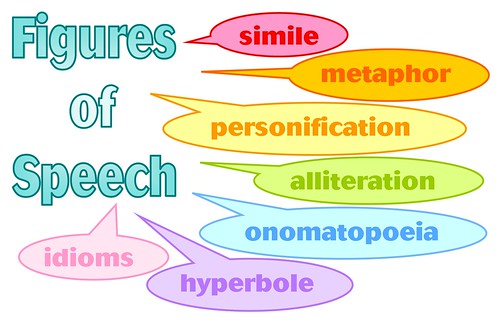
Figures of SpeechSimiles ....
How do you teach similies?
What resources do you use?


One evening recently on twitter, this message came to me:


I am currently working with 4 grade and trying to come up with a lesson on similes. Any suggestions??


Since this request came from a future elementary educator, I wanted to find some things to share with her. I began searching through my blog posts, my diigo bookmarks, and some former lessons to see what I could find. That was when it hit me that I talk about twitter being a great place to find resources and ideas, so maybe I should look too!


I sent out a tweet asking for advice and suggestions to share (it is nice to have a PLN to share with and pull from).


Here are a few of the ideas and resources that were shared with me:
  • Snowflake Bently Activity and Idea Webpage which contains a book mark, an art project, information on the illustrator, directions to make a book, and lots of great links
  • Picture book recommendation: My Dog is as Smelly as Dirty Socks (This book is full of similes about the family of the main character) 
  • A great idea for a Color poem on this blog that coul be redone using similes: ThePolkaDotOwl: Poems Anyone? (other great stuff on the rest of the blog too)
  • Someone also shared some powerpoints they have used as an introduction in the past: Similes and Metaphors
  • Laurie posted this as a comment on an earlier blog post: "I used familiar movie characters like Shrek and Fiona and Donkey and Puss in Boots. I had the kids go over adjectives that were nice to describe a person. Then we talked about how to stretch that into similes. Shrek is as green as the grass in June from Shrek is green. And so on."
  • Similes and Metaphors in Pop Culture   (Thanks John Downs)
    Mr. Wasko presents examples of similes and metaphors in pop culture- from Kanye to The Wizard of Oz.


And while I was looking for ideas for teaching similies, I came across this great collection of ideas for teaching figurative language using a Valentine's Day theme on ReadWriteThink!


Do you have any ideas to share about ways you teach similes?


Do you have any resources to suggest?


Thanks in advance

Wednesday, May 20, 2009

Shmoop.com is an Amazing Resource for English or US History Teachers and Students

Shmoop.com http://www.shmoop.com/ is an amazing resource for English or US History teachers and students. The website is written by PhDs, graduate students, and advanced undergrads from some of the top universities in America including Stanford, Harvard, Yale, Princeton, and UC Berkeley.
You can create a login for the site but you don’t have to. You can select from any of the four tabs or subject areas which are Literature, History, Poetry and a Book Club. Once you click on the Literature tab for example, you can then select books from the hot topics, browse by title or browse by author. From this point you have about 160 books to choose from such as Fahrenheit 451, The Old Man and the Sea, For Whom the Bell Tolls, Hamlet, Othello, Macbeth, Frankenstein, Great Expectations, The Great Gatsby, To Kill a Mocking Bird, The Call of the Wild, Animal Farm, The Grapes of Wrath, Beowulf, Lord of the Flies, Our Town and many more. Once you choose a book you have the choice of reading an introduction or a summary, looking at themes in the book, quotes, a plot analysis, looking at study questions, doing a character study, exploring literary devices in the book or searching from a provided list of great related websites. The site even provides a list of did you know facts and a place to express your opinion of the book. Furthermore, you have the option to print the information or create a PDF.
If you choose to explore US History, you can also select from the hot topics, browse by title or browse by date. Once you select your war or event the choices are to view an introduction, in depth study, timeline, people, did you know, best of the web, citations, test review and opinions.
The website also has links to cite the source using MLA, APA or Chicago style. In the bottom left corner of the main page is a link to see how other teacher s use Smoop.
If you do create a login for the website, Shmoop will help you build an outline, take notes with stickies or clippings and drop them into your outline, save your outline in a folder or ask the Shmoop room a question in a discussion. Check it out. This site is a gold mine for English or US History teachers and students!

Wednesday, March 11, 2009

Dare to be Great

Did you ever get to the end of a great book and was let down by the ending? It was either not what you expected or left you wanting more.

Why not write your own ending to that book. Put in what you want the characters to do and say. Make the book come to life in your minds eye and get it on paper, or rather online. Yes online for you to keep or for you to share using Plotbot.

Plotbot, what is it, well it is an online web resource that allows you the user or people to collaborate the writing of screenplays, or manuscripts. As teachers you could also use this site in conjunction with writing assignments and book reviews to give your students the opportunity to write, or re-write, their own ending to a novel, short story, movie etc..
This process allows for student collaboration with their peers as well as with the instructor for feedback. As well will prepare some students for careers in writing screenplays or manuscripts.

The site is very easy to maneuver through. When you come to the splash page you create your account, and its is Free. Once you have created your username and password you are then asked whether or not you want this project to be private or public. If you decide to make your project private no one will be able to view it unless you invite them in. Once you have done that you create the project name and enter in some parameter settings and off you go.
Now that everything is set up you can begin creating your content. You can choose to make a(n) outline, screens, screenplay as well as set up a project blog, guidelines, references or character document. Depending on your content you can set up the rating for this according to the MPAA standards.
If you make the project public, or for your invitees, you can set up an RSS feed to it and keep up with editing.
Plotbot also has its own repository so that you can upload documents straight to the site for download and sharing.

So whether you plan on a career as a screenwriter or not, whether you like it your way take a chance and see what Plotbot has to offer.

Image provided by plotbot.com
video provided by Commoncraft

Wednesday, February 4, 2009

Bridging the Gap: English

As an English teacher do you find it difficult to integrate technology into your instructional day?

Wouldn't it be nice to have a reference guide or road map to help with curriculum/technology integration?

The Partnership for 21st Century Skills(P21) and the National Council of Teachers of English(NCTE) have teamed up to offer a new Free resource which can aid in integrating 21st century skills into the curriculum.

The 21st Century Skills Map for English provides English teachers with examples of how some of the 21st century skills can be incorporated into classroom instruction. This document provides ideas for adapting and molding collaboration, problem solving, critical thinking and other skills students need into their curriculum .

The road map provides sample lesson plans and various ways of bridging the gap between the current text-based methdology and its web 2.0 integrated counterpart. Resources and information are available for use with grades 4, 8 and 12 to help foster student achievement.

Monday, January 26, 2009

About Manga Shakespeare

William Shakespeare, in my opinion is a great classical writer. However, his plays were often written in a manner that was difficult for me to understand. Most school aged children will read or study at least one of his works before graduating from high school, atleast that was the case when I was a high school student. And so, creating an interest in the classics may prove to be a challenge for a few teachers.
On the other hand there is Manga. (Visit the following website Manga genre for more information about Manga ). The series that my son owns is a set of comic books that are bound to look like novels. For example my son owns a collection of the Prince of Tennis manga books. He currently owns 29 episodes and can hardly wait until they print the next edition. Seemingly these novels are the rant of my teenager. (see the link for more information about Prince of Tennis)

Classics and Manga, these two genres could not be more different. Nonetheless, a new manga collection, Manga Shakespeare is the synthesis of Shakespeare’s works and the manga genre. This is a somewhat interesting concept in my opinion. Even the combination of the genres creates an Oxymoron at its best. According to wikepedia' website, http://www.wikipedia.com/ , an Oxymoron is a figure of speech that combines two normally contradictory terms – classic and manga.

Based on information from Promethean Planet's website, http://www.prometheanplanet.com/ they have partnered with SelfMadeHero Inc., the company that publishes Magna Shakespeare to develop and provide resources for the interactive whiteboard. Of all the classics written by Shakespeare, I believe that most students will read Romeo and Juliet, but even this visual creates more interest. (Manga Shakespeare Romeo and Juliet) - see the link for the website.

Tuesday, January 6, 2009

Using Google Docs & Skype To Discuss The Revisions Of Your Students Term Papers


How many times have you had to rush through a discussion with your students about their term paper? You have tried to talk with them in early in the morning, during class or after school but the time was too limited. You can write the corrections in red on their draft but sometimes they don’t understand what you want them to change so the revisions take much longer or they don’t get done at all. What if you could talk to your students during a previously arranged convenient time to discuss the revisions? Google Docs and Skype could be used to go over the necessary corrections. First of all your students need to upload their term paper into Google Docs and invite you as a viewer. Your students would need to go to https://www.google.com/accounts/ServiceLogin?service=writely&passive=true&nui=1&continue=http%3A%2F%2Fdocs.google.com%2F&followup=http%3A%2F%2Fdocs.google.com%2F&ltmpl=homepage&rm=false and create an account and then upload their term paper. If you would actually like to type some things in their paper, they would have to invite you as a collaborator, your choice. Then, you and your students would create an account in Skype. No worries, all of this is free! Go to http://www.skype.com/ to download Skype and create your free account. Each of you would need to have a microphone/headphone set plugged into the computer to communicate with each other. A decent headphone/microphone will cost about $20.00.

Bob Kuhn, an English teacher at the Career Center, believes he can help more students using this method in addition to the face to face consultations that he offers his students in the class.